 World of Warcraft: Forever
Transmog On and off, transmogrifiers, rules and looks
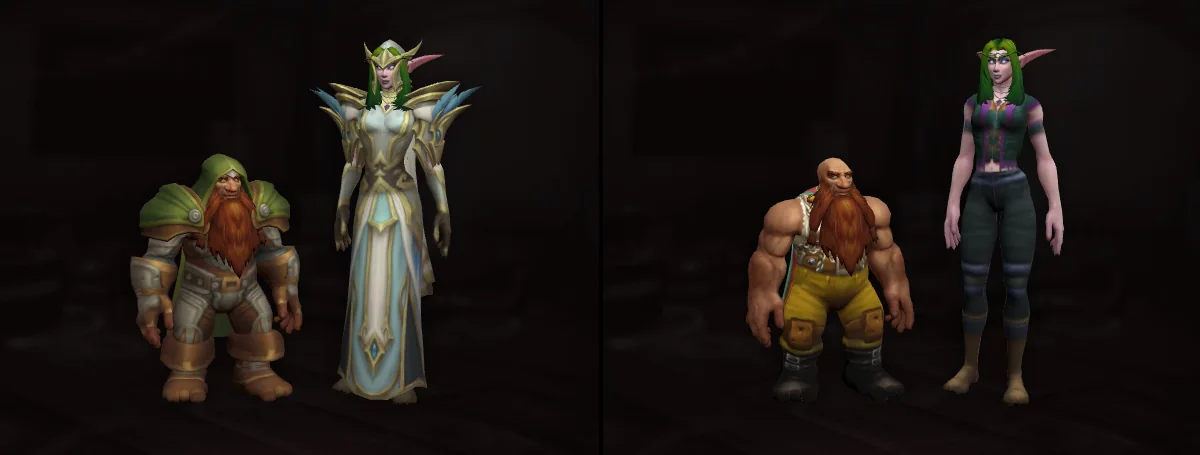
The Alliance transmogrifier is Firenze Wishona in Stormwind, the Horde one Moenye in Orgrimmar. Transmog changes looks only, never stats, and can be turned off.
The first 2 outfits are free, up to 50 in all; 21 cosmetic looks are known so far.

Transmog basics
Key facts
- Transmogrifiers
- Alliance: Firenze Wishona(Stormwind); Horde: Moenye(Orgrimmar).
- Cost
- Gold, by slot multiplier; each character gets one free update.
- Collection
- Looks go into “Account Collection”, shared by the characters on your account.
- Cosmetics
- 21 known, usable by any class at any level. View all
- Rules
- Only looks of the same item type and slot, and the same armor type.
- Close
- Pick “Classic Era” at first login, or tick “Disable illusion system” in the settings later.
Choosing at first login
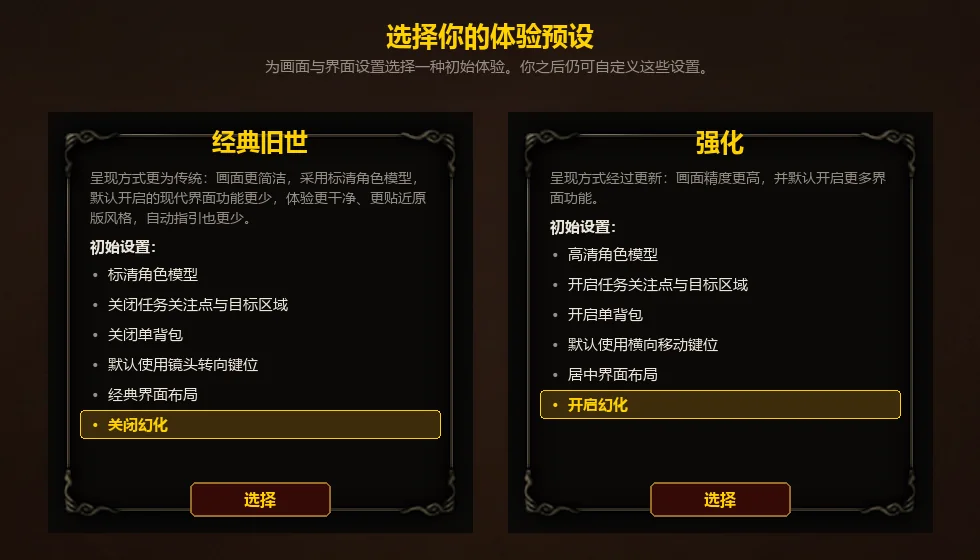
At first login you pick an experience preset: “Classic Era” means Close the illusion, “Improved Block Value” means Activate illusion. A preset only sets the starting settings; you can change them all later.
Switching it later
Tick “Disable illusion system” in the game settings to turn transmog off; untick it to turn it back on.
When it is off
With it off you don't see other players' transmog and they don't see yours. You can't change looks then; the game says “You cannot change your appearance when you opt out of illusion”.

Where the transmogrifiers are


These 2 are the only known transmogrifiers.

How looks are collected
These item tooltip lines tell you whether a look is in your collection:
| Tooltip | Meaning |
|---|---|
| You haven't collected this appearance yet | This look isn't in your collection yet. |
| You have already collected this appearance. | The look is already in your collection. |
| You own this look, but not from this item | You have the look already, from another item. |
| Your character cannot use this look. | The look is collected, but this character can't use it. |
| This item cannot be used while transfigured, but can be worn as equipment. | The item can be worn but not used as a look. |
When a new look is collected, chat says it was added to your appearance collection. See your looks in “Account Collection”, on the “Cosmetic” tab.

Transmogrify window
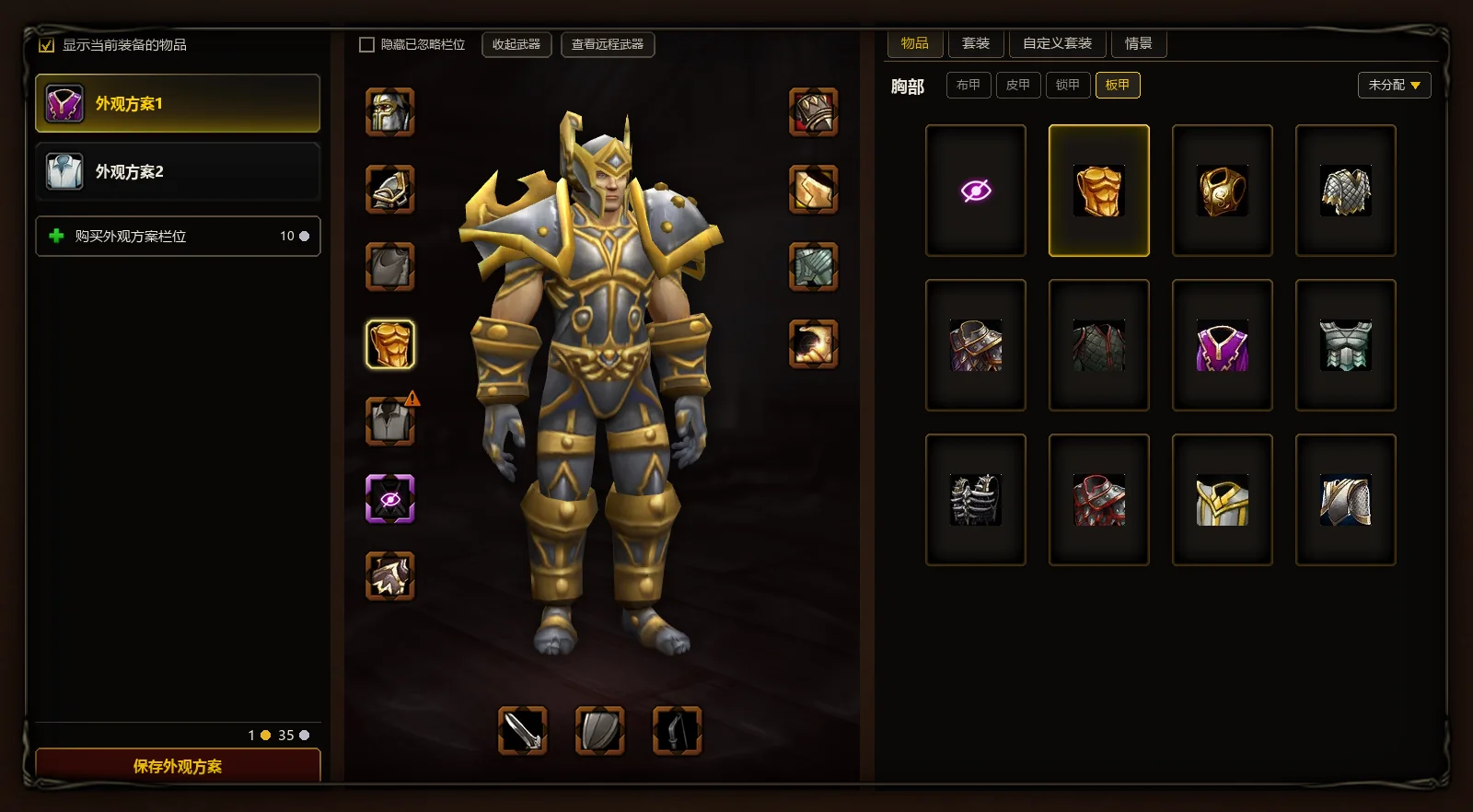
- Your outfits; click one to wear it. “Purchase Appearance Scheme Field” adds another.
- “Show currently equipped items”: the model shows the gear you really wear.
- “Save Appearance Scheme”: saves your changes; the cost is shown above the button.
- “Hide ignored fields”, “put away his weapon”, “View Ranged Weapons”: adjust the preview in the middle.
- Click a slot and the looks it can use are listed on the right.
- A warning mark on a slot: the look won't show for now, for example “There are no equipped items that can be transformed in this area.”
- Weapon slots; how they split is under Rules .
- “scenario”: an outfit goes on by itself in the situations you pick.
- Cloth, leather, mail and plate each keep their own look.
- With “undistributed”, the outfit ignores this slot; with “Items showing equipment”, the slot displays whatever you have equipped.
- Eye with a slash: this slot is hidden.
Changing a look
- First click the slot you want to change on the character.
- Then choose an appearance from the list on the right.
- Repeat for every other slot you want to change.
- Click “Save Appearance Scheme”; only now do you pay.
A look belongs to the outfit's slot, not the item: change gear and the slot keeps its look. A saved outfit can be put on any time for free.
Hiding slots
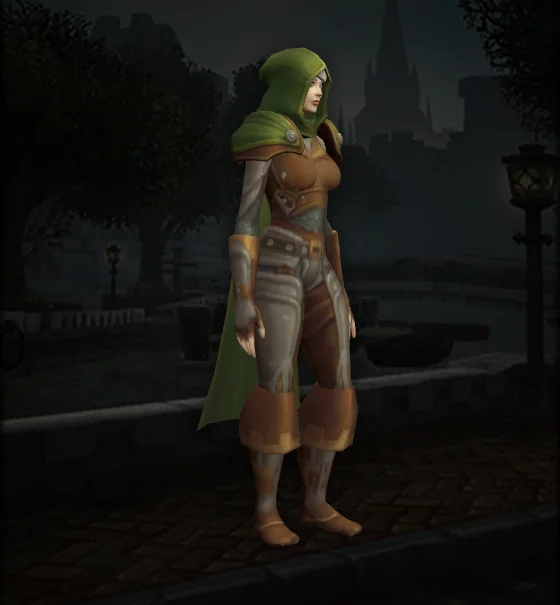
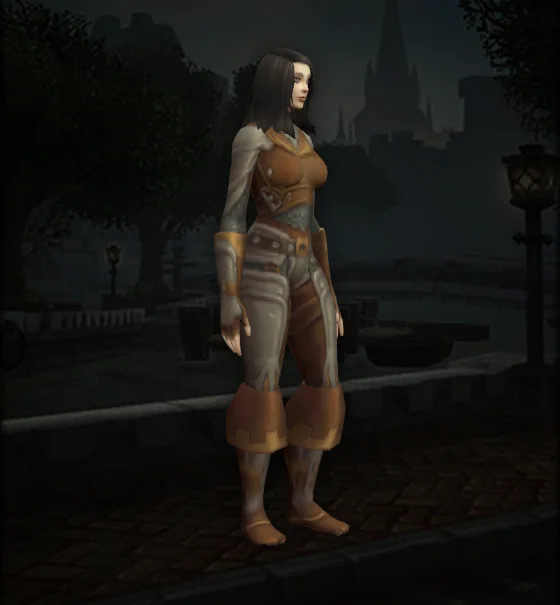
Every armor slot can be hidden, chest, legs, shirt and tabard included.
Where weapons are sheathed
Each weapon can use “Back up.”, “Side retracted” or “Hide when collapsed”.
Separate shoulders
Tick “Use different illusion appearances on both shoulders” to give the left and right shoulder a look each.

Transmog rules in Forever
Same armor type
In the game's words: “You can only transform an item into an item of the same type and suitable for the same part.” Each armor slot of an outfit keeps one look each for cloth, leather, mail and plate, and shows the one you wear.
When the armor type doesn't match, the slot says “This armor type cannot be equipped at this time.” Back, shirt and tabard have no armor type.
Weapons
The main hand keeps a one-handed and a two-handed look; the off hand keeps one for one-handed weapons, shields and held-in-off-hand items; ranged weapons have their own. Change weapon type and the look follows.
Level
If the item in the slot is too low level, the look can't be used: “The item level of this field is too low to use this appearance.”
Looks only
Transmog changes looks, never stats.
Legendary items are out: “You cannot transmute Legendary items, nor can you transmute other items into Legendary items.” An item must also be soulbound to you before it can be transmogrified.

Outfits and prices
An outfit is a full set of looks: save it once, then put it on with one click.
What a change costs
Assigning or changing a look costs gold; the table shows each slot's price multiplier. Each character gets one free update, and the window says “Free Phantom Pack updates available”.
Price multiplier of each slot
 two-handed weapon
 one-handed weapons
 long-range weapons
 Shield
 Off Hand
 HeadChest
 Legs
 Back
 Shoulder
 Waist
 Feet
 Shirt
 Wrist
 hand
 Guild Tabard
Outfit slots
The first 2 outfits are free; the rest are bought one by one, up to 50.
All 48 paid slots together cost 2,012 gold 65 silver .
Automatic switching
In the “scenario” tab an outfit can go on by itself in these situations; every condition you pick must be met:
- place
- sitting area, role choices, World, Dungeons, Raids, arena, Battlegrounds
- Moved
- Non-riding movement, Swimming, Ground mount
- weather
- fine, rain, snow, sand
- time of day
- morning, noon, at dusk, night
The “Custom Set” tab keeps combinations of looks: start a new outfit from one, post it in chat or copy a link to share.

Cosmetic looks
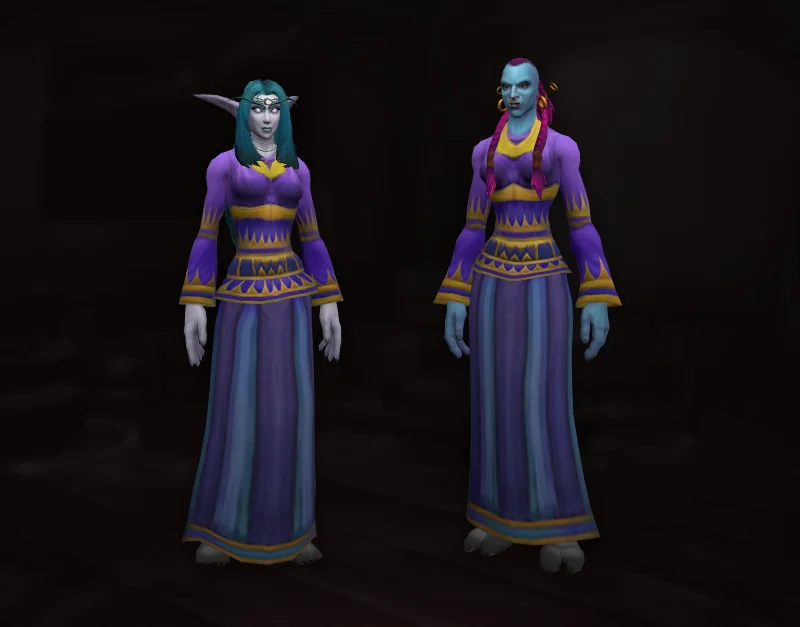
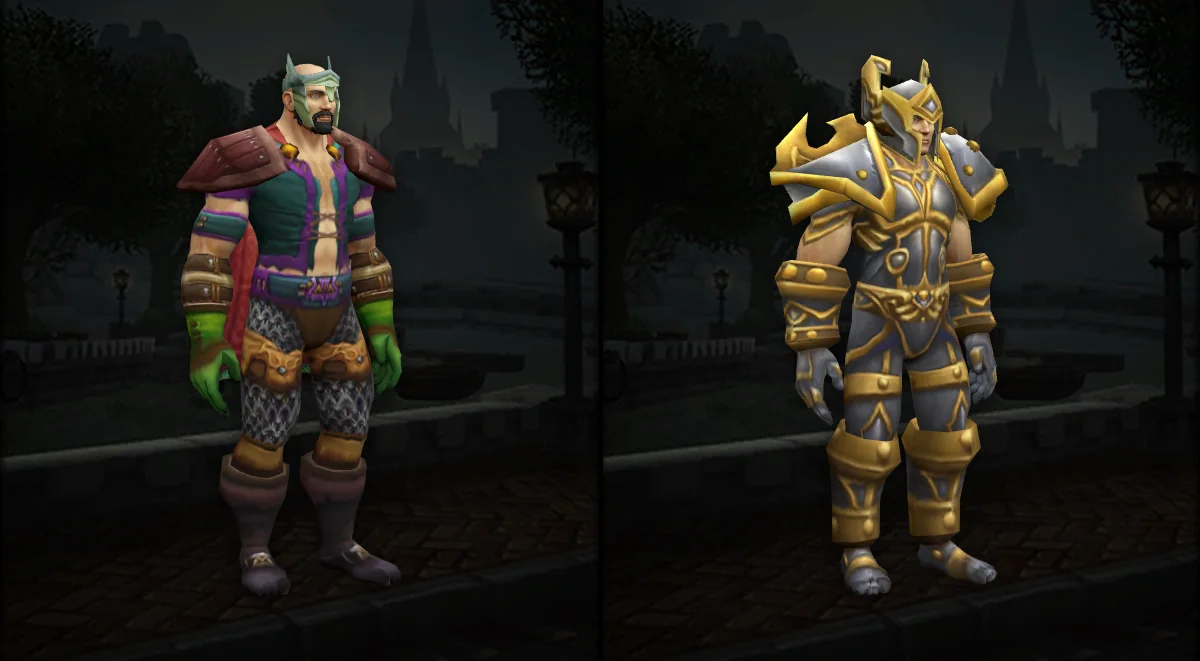
Cosmetic items have no stats and no armor type: any class at any level can use their look. 21 are known so far.
Goblin town reputation vendors
Each of the 5 goblin towns has a vendor selling a hat; you need Revered with that town.
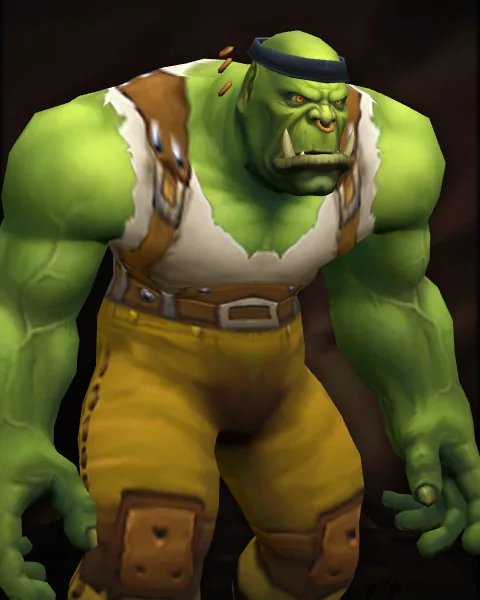
 Barrens HeadbandRevered with RatchetSold by Winkelsback (The Barrens)2 gold
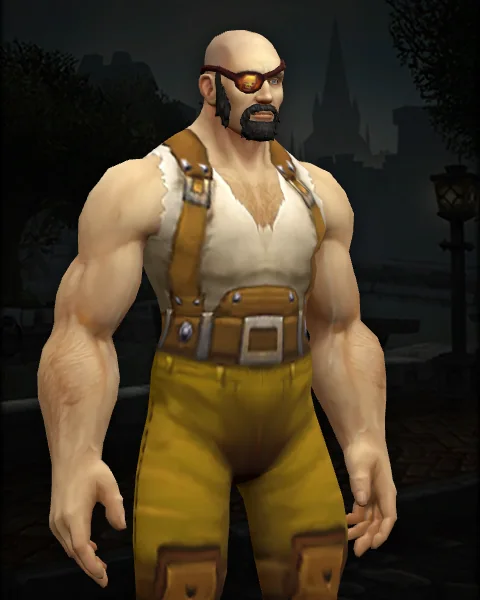
 Tough Guy's EyepatchRevered with Booty BaySold by Gerzy Dirty Teeth (Stranglethorn Vale)5 gold
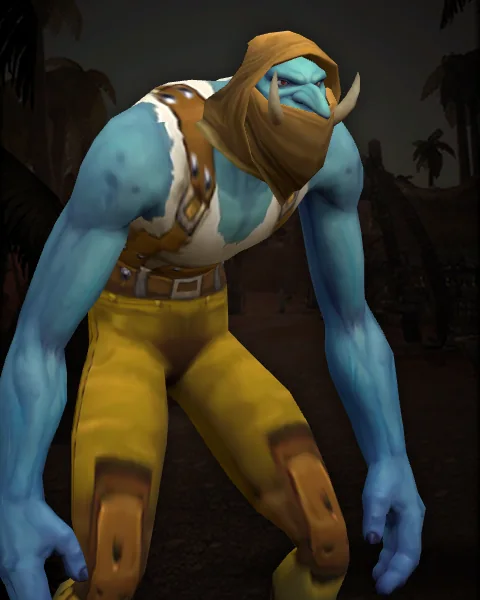
 Stolen Wastewander CowlRevered with GadgetzanSold by Retrick (Tanaris)10 gold
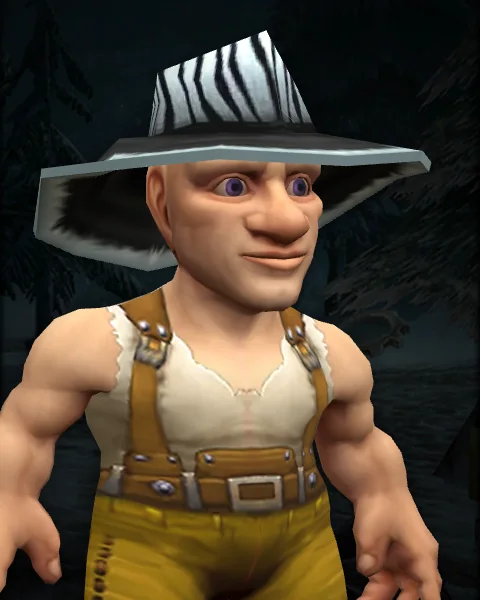 Fizzbolt's Fashionable FedoraRevered with EverlookSold by Zippy Fitzbert (Winterspring)25 gold
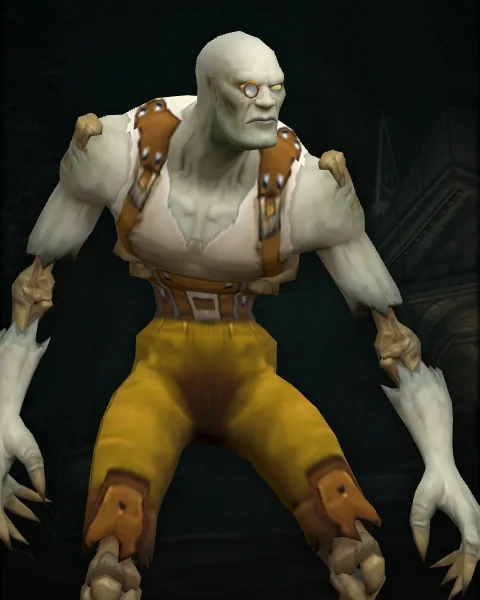
 Haughty Fellow's MonocleRevered with Powderfuse PortSold by Fritz Frazspach (Riverglades)10 gold
Other vendors and crafting
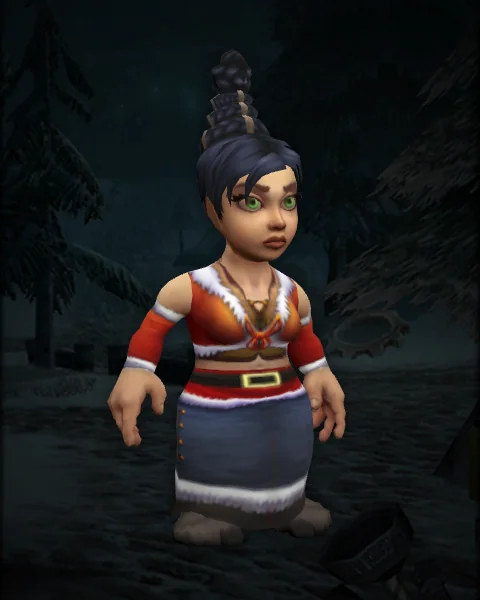
 Red Winter ClothesMade with Tailoring at skill 250.
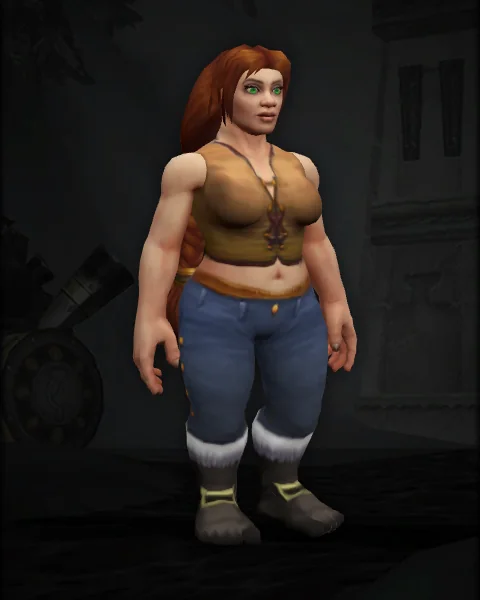
 Hibernal BootsMade with Leatherworking.
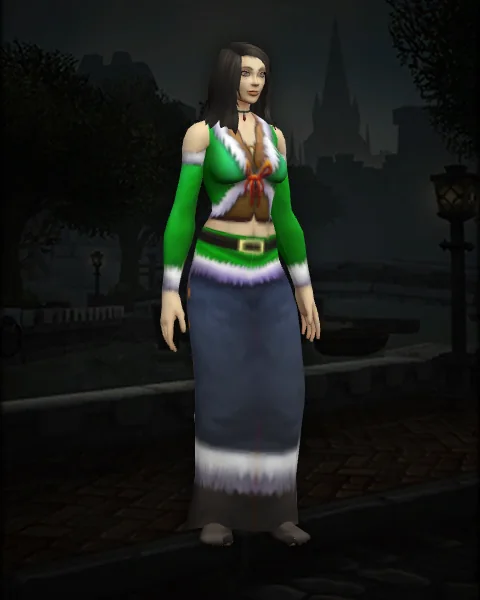
 Green Winter ClothesMade with Tailoring at skill 250.
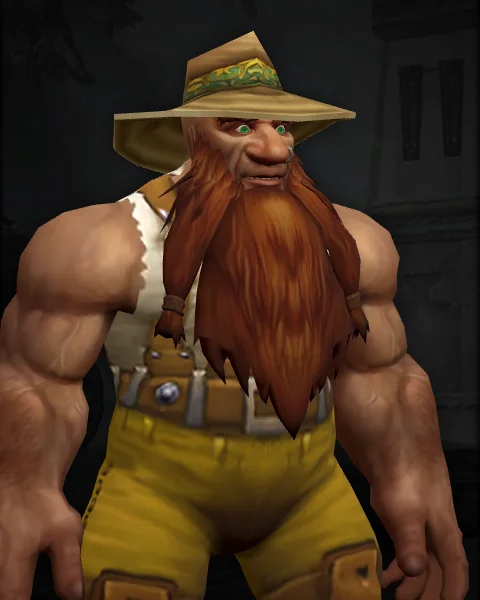
 Master Angler's Fishing HatSold by Jang (Stranglethorn Vale)
 Extravagant Extravaganza Coin
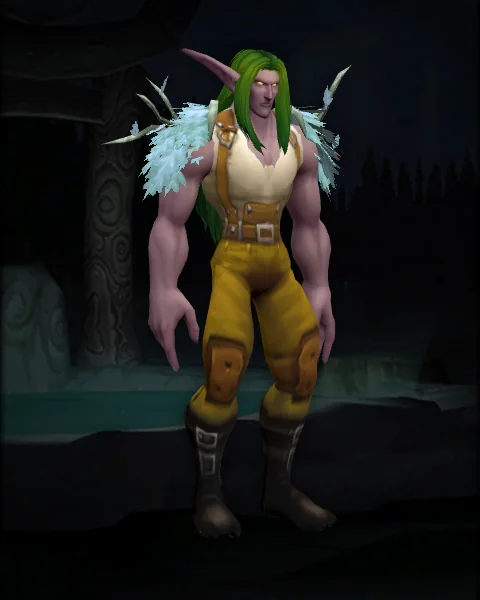
 Nightclaw MantleSold by Wayne Mooneyes (Zephras Isle)30 silver 14 copper
Source unknown
These cosmetics are in the client, but how to get them is not known yet.
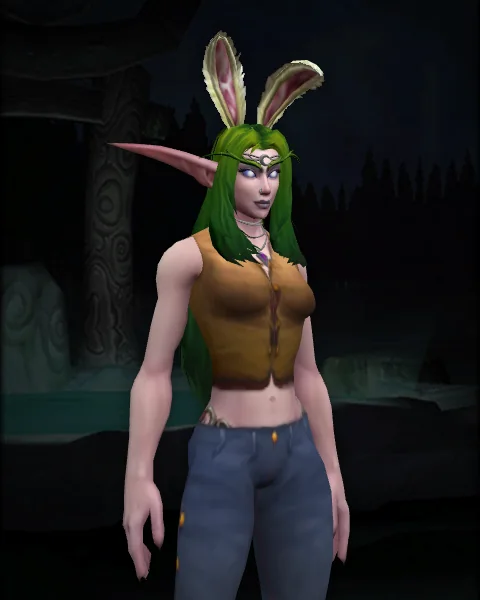
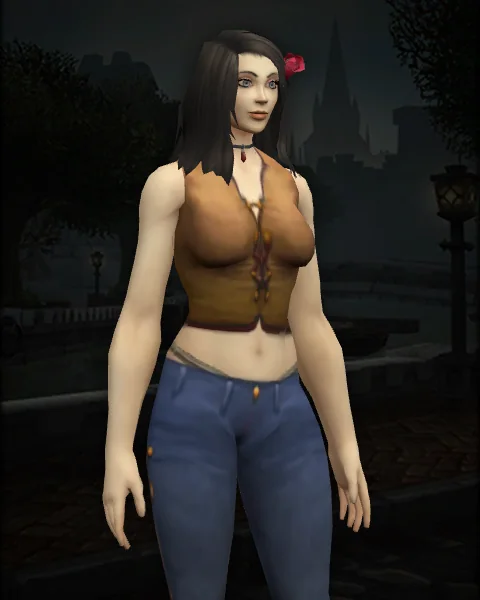
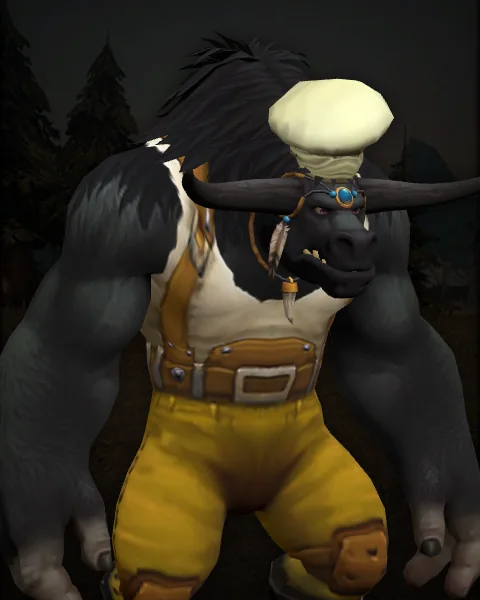
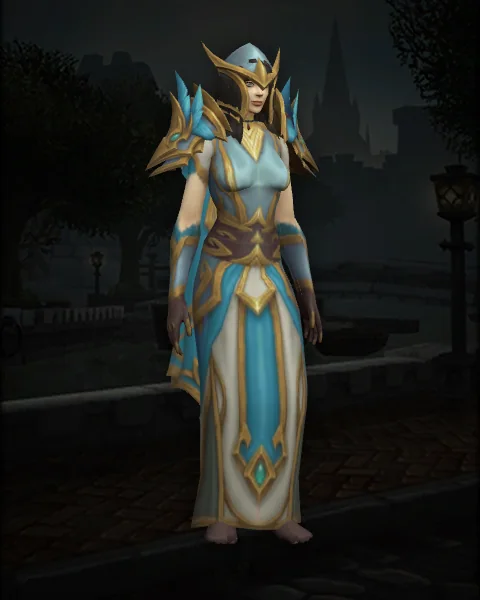 Shendore Magus's costume


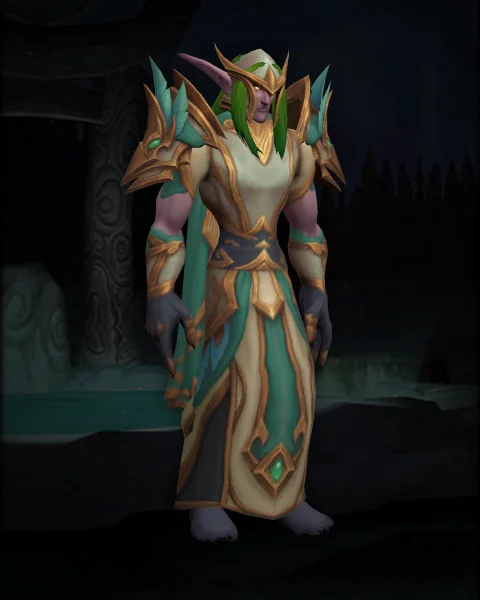 Shendore and the clothing of the peacekeepers
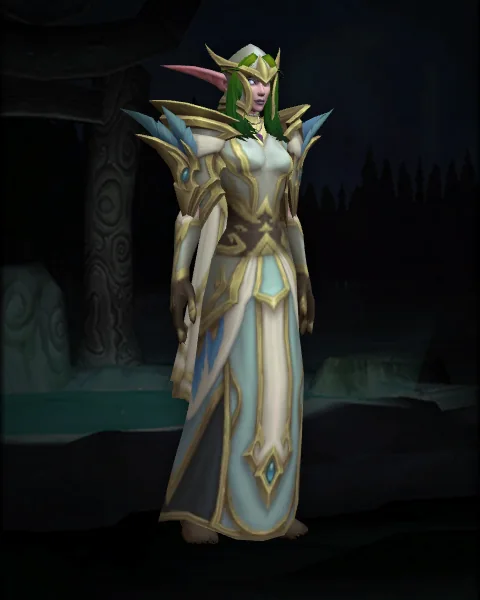 Shendore Skywatcher's Costume
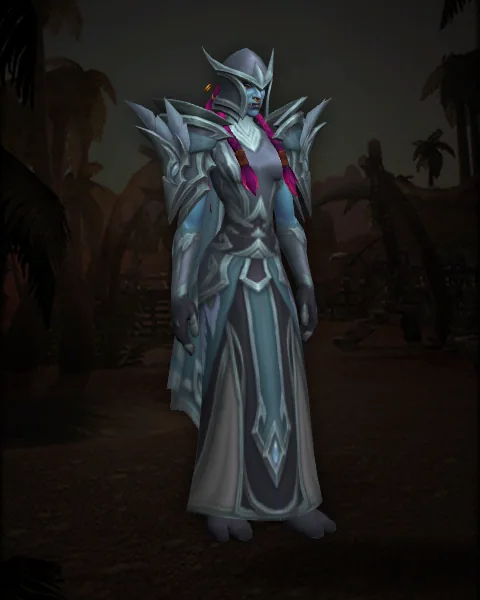 Orakis fanatic costume
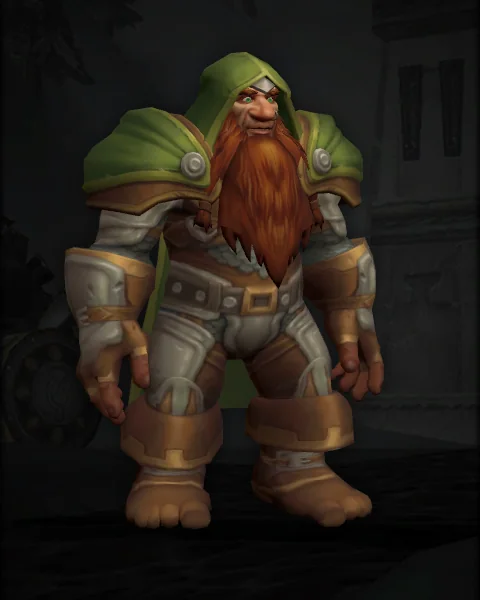 Outdoor attire for senior adventurers


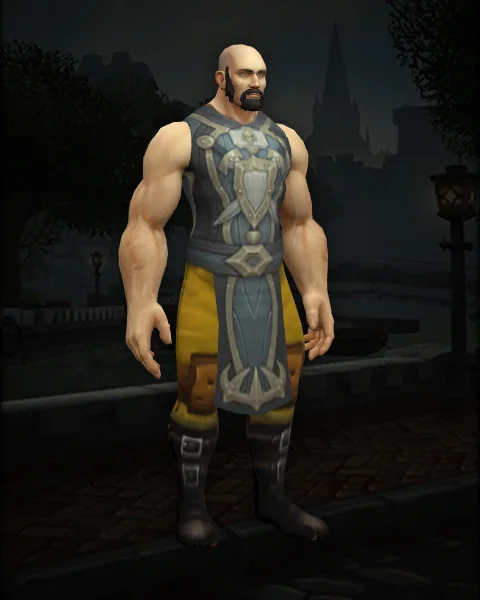
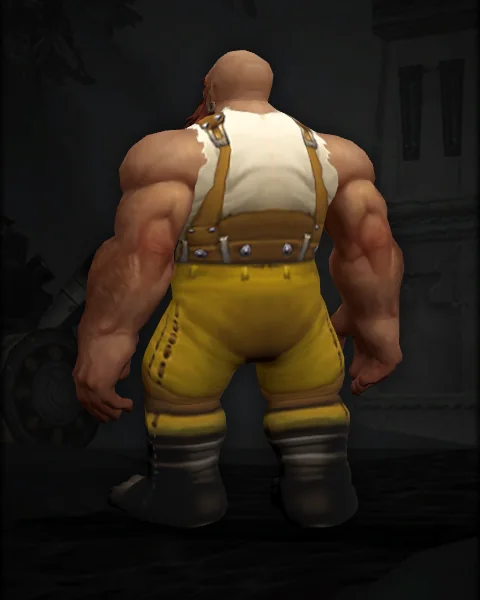
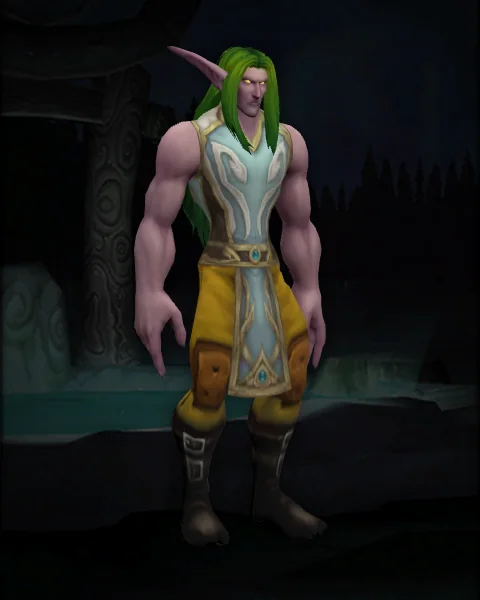
 Spring Circlet
 Forever-Lovely Rose
 Chef's Hat
 Lordaeron Forever Tabard
 Veteran Adventurer's Rucksack
 Shen'dorei Tabard
Pictures rendered from the client's models.